Getting Started with TestProject
I wrote an article on the perils of Test Automation (Something’s Rotten with Test Automation) for TestProject last year. I’ve had a bit of time since then to look into their product since then (currently in beta), and thought it was worth sharing a bit about it, as I think it’s a pretty good product.
This post is a walk-through of my experience creating a simple web test. I plan to write a few follow-up posts to cover mobile device testing and finally a bit on my experiences playing with their Java SDK.
Please note: I am accepting a small stipend from TestProject for posting this, but the article ideas and content are entirely mine, and I would not write this if I didn’t endorse the product.
What is TestProject?
On the surface, TestProject is yet-another web and mobile automation tool. It supports recorded tests (but better than any test recording frameworks I’ve used before), as well as coded tests, which can be uploaded and run from the TestProject web site.
Yet Another Automation Framework?
We’ve had a recent resurgence of web automation frameworks, but for reasons I’ll describe in this post – as well as in the next two follow-ups, TestProject has a lot of promise, and a lot of potential. It encapsulates Selenium and Appium (no separate download needed), will eventually support at least five programming languages, and makes it extremely simple to share and schedule tests.
Better yet, the price is right. For most users, it’s FREE. The free package includes 5 agents, SDK support, 30 days of history, and some other goodies. For those who need the Professional version, it’s $8 a month per agent – which is still ridiculously affordable.
But…The Weasel Doesn’t Like UI Automation
If you’ve read my posts, seen my talks, or followed me on Twitter, you’ve likely seen me speak out against UI automation. To be clear, I’ve spoken out (and will speak out) against bad UI automation, and against trying to do too much testing in the UI.
A few targeted tests that verify critical parts of the UI are not just something I support, but a pretty damn good idea. I think TestProject is a good solution for this task for many teams.
Recorded Tests – A Walkthrough
I have always been (very) leery of recorded tests, but somewhere when I wasn’t paying attention, the tools got pretty good – or at least much better. It’s still possible to create some pretty bad tests via recording tools, but I’ve learned that at least it’s possible now to create reasonable tests with recording tools.
To try things out, I made up a (slightly convoluted) test scenario where I wanted to make sure that all of the menu pages on angryweasel.com went to the right page.

My “test plan” is to click each link, and make sure it goes to where it’s supposed to go (probably by verifying an expected element exists).
Here’s a quick walkthrough of the setup:
Step 1 – Create a new project
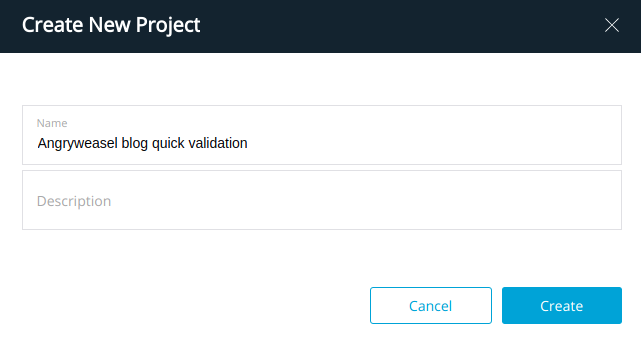
Step 2 – Create a Test
Pretty straightforward – click the big blue “NEW TEST” button – select
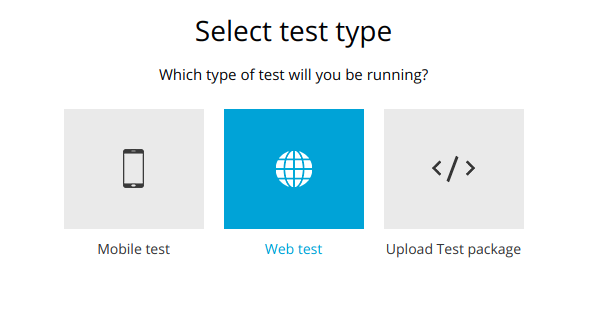
At this stage, I could go straight into “Design” mode – but we’ll go here later after we get the basics done via the recorder.
The TestProject Agent
One thing I really like about TestProject is the TestProject agent – it’s cross-platform (I’m testing it now on my Ubuntu system), and it encapsulates Selenium or Appium as needed for the target platform. Once the agent is up and running, the TestProject web site will see it’s running and connect.
When the recorder page comes up, it looks (something) like this:
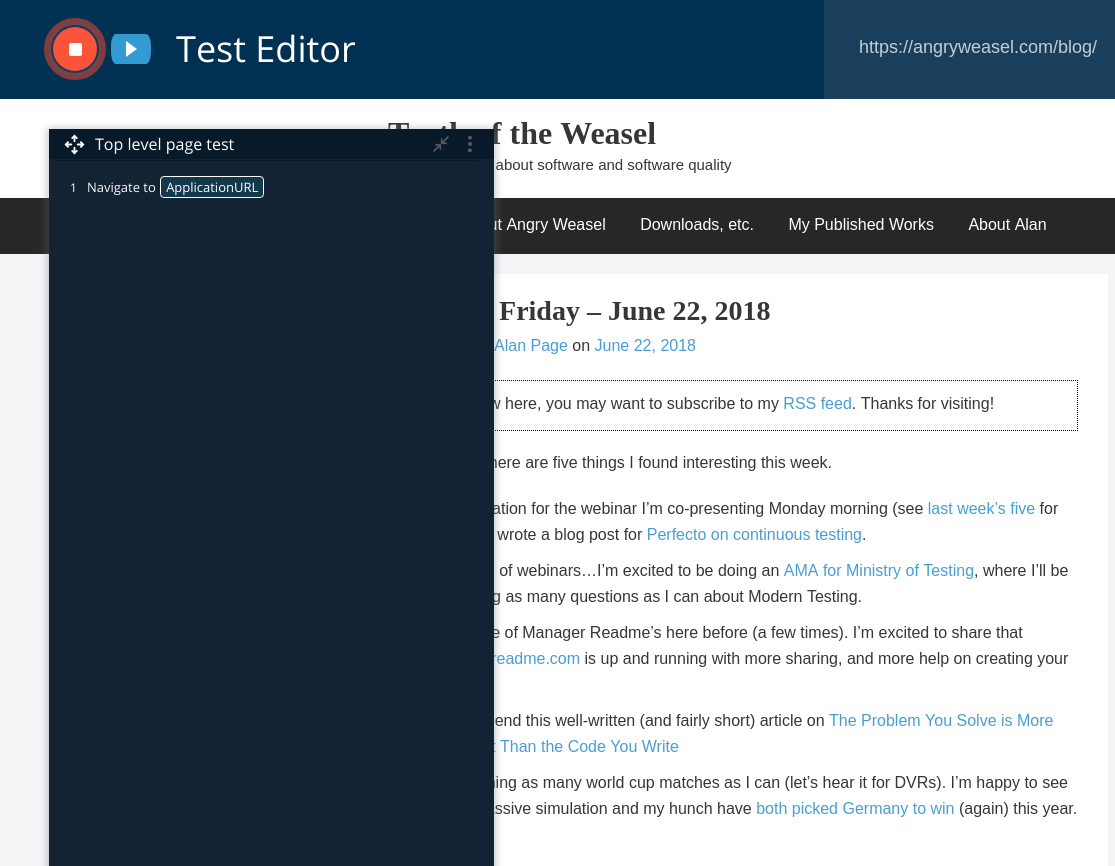
I moved the recorder window so I could see the menu items, and then clicked them from right to left. That gives me a not-very-readable output like this:
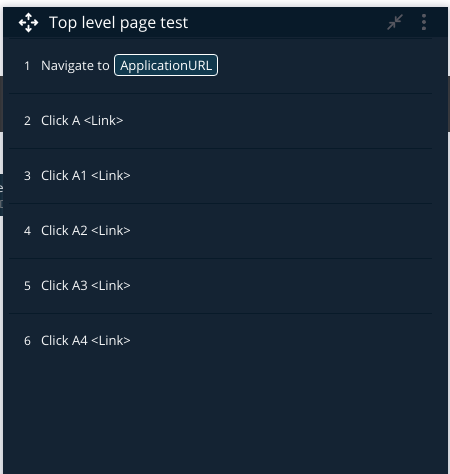
I can play this back, and it runs well. But at this point, there are two BIG problems. The first issue is that there’s no validation. We’ll add that in a few minutes, but first, I’d like to document the “Click A <Link>” names and make them a little more debuggable.
My preference would be to rename these, but that’s not an option yet in TestProject – but to aid in debugging, I can at least add a comment.

One cool thing to note here is that I can view and edit the current selector, and select by ID, Classname, Tagname, Name or (the default) Xpath. Consistently named labels are essential for writing maintainable automation, so this is something that I think will be pretty handy.
I won’t show it here, but I ended up changing the selection method for each validation, and all worked exactly as I expected.
Validation
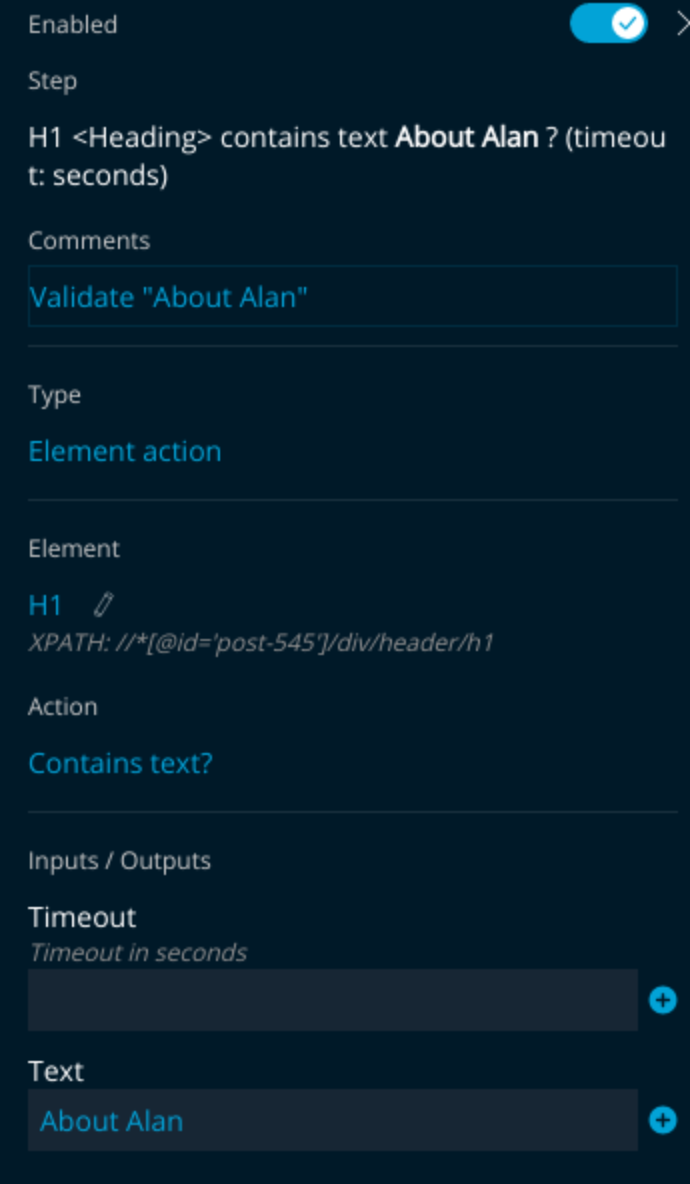
I found creating the validation step to be pretty straightforward too. Just create a new test step, and have it verify that a specific element contains specific text. For those of us who have written coded web automation, it’s pretty easy to picture what Selenium code is running under the hood. I also think that this is indirectly a pretty reasonable way for non-coders to learn how Selenium works. Probably not TestProject’s intent, but I think there’s potential there.
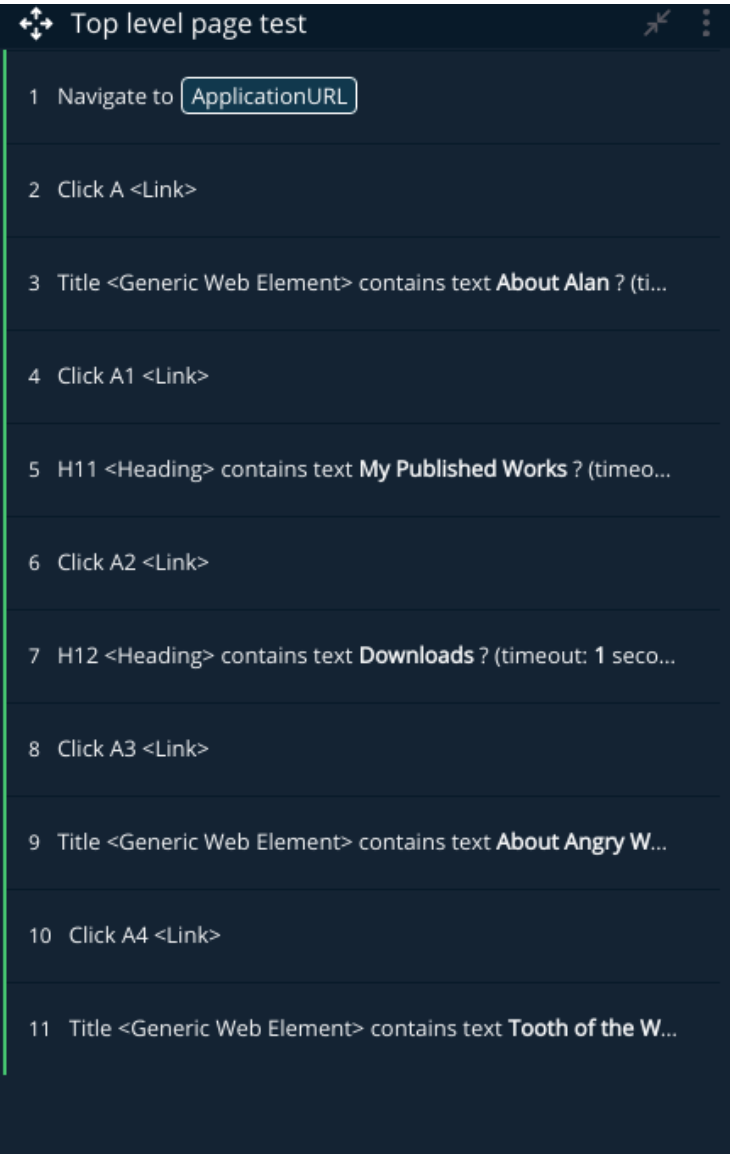
I can run my tests from here, and the green bar on the left side shows that all of my test steps passed.
From here, I created a Job on the TestProject site, set the job to run on Chrome and Firefox, and added this test to the job.
Test Results
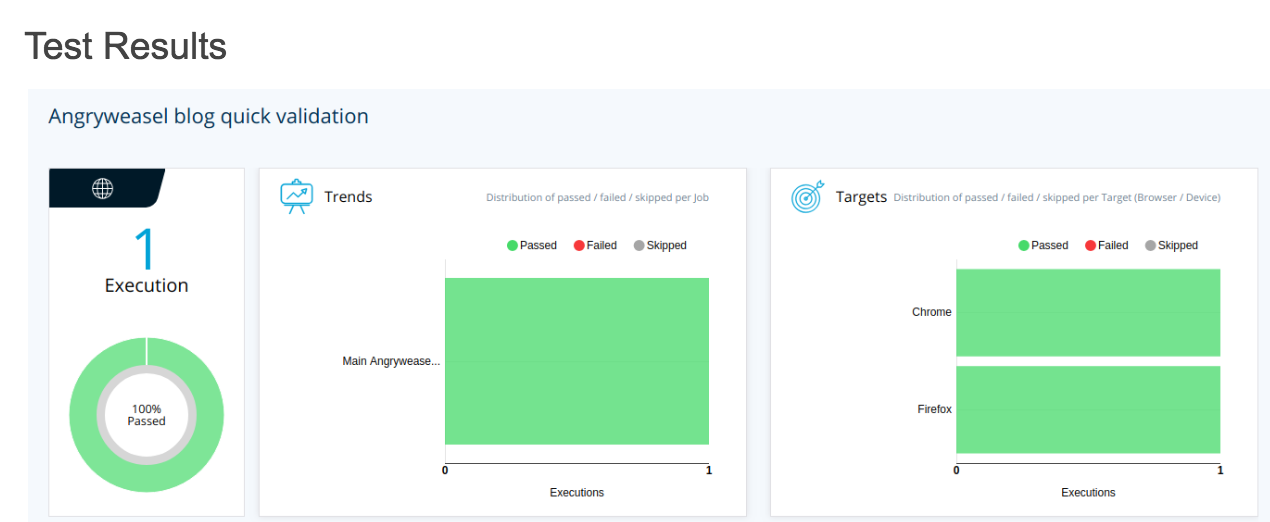
Not super exciting results, but certainlynot bad results for 30 minutes of “test development” with a new tool.
Parameters
I mentioned above that I gave every action a one second timeout (note that it doesn’t wait or sleep a second – one second is just the length of time I’ve instructed the framework to wait for an element.
What happens if I decide the timeout should be 2 seconds -or half a second. It’s preferrable to change things like this in one place, and fortunately, TestProject allows you to add parameters. I added one called my_timeout, and now, if I ever need to change it, I can change the timeout in once place.

Failures
When you write tests, it’s a good idea to test what happens when they fail. I changed the “Validate “About Angry Weasel” test to look for the test “About Angry easel”. As expected, the test failed, and gave me reasonably actionable information to debug the failure from.

Final Notes (for now)
Overall, I didn’t find much to hate. Some things I’d like to see in future updates include:
- Ability to rename steps for easier debugging
- There are a lot of “are you sure you want to do this” type dialogs that I already feel a need to suppress
- Given that I can mentally “see” what the underlying code looks like, it would be nice to generate code as well for more subtle tweaks.
As I said in the intro, I have a few more posts planned to walk through more of what I learn while learning the tool, but happy to hear your feedback on the tool or on my approach in using it if you have them.
3 Comments